
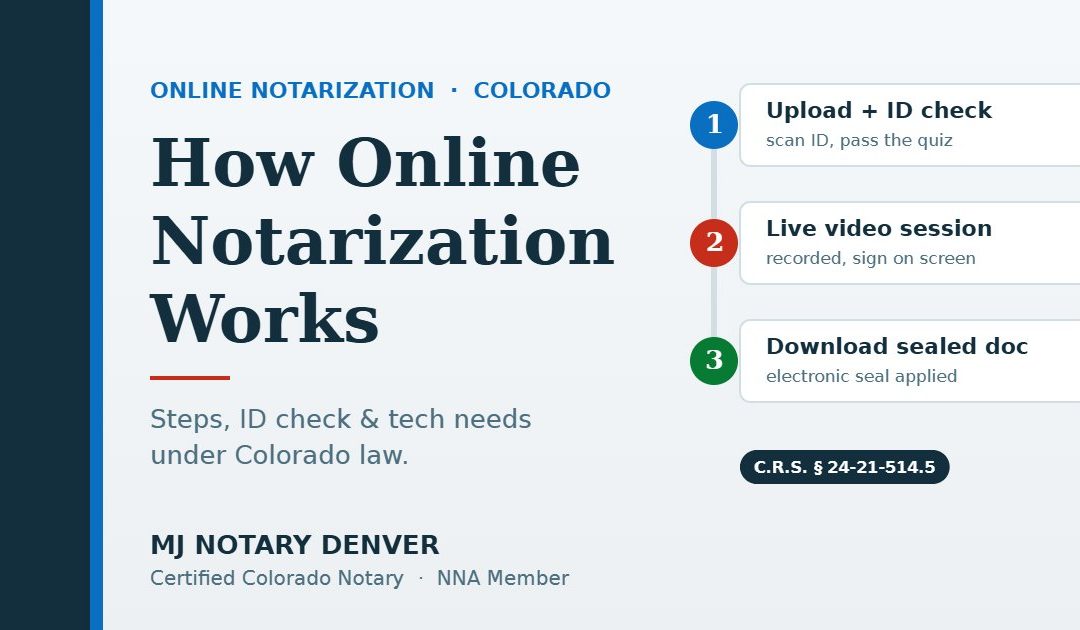
Online notarization in Colorado happens in three stages. First, you upload an electronic document and pass an identity check: a photo-ID scan plus a timed quiz. Next, a Colorado remote notary meets you on live, recorded video while you sign electronically. Finally, you download the sealed document. It is fully legal under C.R.S. § 24-21-514.5.
Booked an online notarization, or deciding whether to? You probably want to know what happens on the call, what the identity quiz looks like, what your computer needs, and what to do if something goes wrong. This guide walks through a Colorado remote online notarization (RON) step by step, based on Colorado’s statute and the Secretary of State’s notary rules.
For the big picture, including which signers and locations qualify, start with our complete guide to online notarization in Colorado. This article goes deeper on the session itself.
How Does Online Notarization Work? The Three Stages
Every Colorado remote notarization follows the same arc: identity work up front, the notarial act live on camera, record-keeping after you log off.
Before the Session: Your Document and Your Identity
Get the document final
Colorado remote notarization works only with electronic records, so you upload a PDF. Make it final, with every blank filled in or marked “N/A.” The notary must confirm you both see the same record and that every signature, change, and attachment happens in real time, so a last-minute edit usually means starting over.
Pass the identity check
Because the notary cannot hold your ID, Colorado requires two layers of identity proofing for most signers:
- Credential analysis. You photograph or scan a government-issued ID that shows both your photo and your signature. Software tests it for security features and tampering, confirms you have the card in hand at the time, and lets the notary compare the photo with your face on camera.
- A dynamic knowledge-based quiz, usually called KBA. The Secretary of State’s provider protocols set the minimums: at least five questions about your personal history, each with at least five answer choices, drawn from public or proprietary records and never ones you have answered before. You must answer at least 80% correctly, and all questions within two minutes.
The quiz is not the only route. Colorado also allows a credible witness who personally knows you and is personally known to the notary, the notary’s own personal knowledge, or a digital certificate or other approved third-party check. Availability depends on the platform, so raise it when you book.
During the Session: What Happens on Camera
Once your identity is verified, the notary joins you on live video. Colorado requires the notary and signer to see and hear each other in real time; a few seconds of normal lag is fine, but a frozen or dropped feed is not. Expect this sequence:
- Disclosure and consent. The notary tells you the session is being recorded and where and for how long the recording will be stored. You must explicitly consent to both. Without consent, the notarization cannot go forward.
- The notary’s recitation. At the start of the recording, the notary states their name, the date and time, a description of the document, your name, and how you were identified.
- Your declaration. With the notary confirming you both see the same record, you state that you are signing knowingly and voluntarily. If the document needs a sworn statement, the notary administers the oath or affirmation on camera. Not sure which applies? See acknowledgment vs. jurat.
- Signing. You apply your electronic signature while the notary watches.
- Notarial certificate. The notary completes a certificate that states the act was performed using audio-video communication technology, then applies an electronic signature and seal. The venue listed is the place in Colorado where the notary is located, not where you are.
A remote notary must “Execute the notarial act in a single, real-time session.”
That “single session” rule has a practical consequence. Under the Secretary of State’s rules, if you or the notary has to exit the platform, the audio or video drops, or the quality degrades so much that the notary believes the process is compromised, the notary must stop and restart from the beginning.
After the Session: Your Document and the Record
When the notary finishes, you download the notarized document. Behind the scenes, the notary logs the act in a tamper-evident electronic journal, including which platform was used, and the recording is stored securely for ten years.
Colorado law also bars approved platforms from selling your personal information, with narrow exceptions such as completing the transaction or obeying a court order. Before you send the file anywhere, confirm how the recipient wants it delivered; some still insist on paper. Our guide to what documents can be notarized online in Colorado covers which records fit and which don’t.
Ready to notarize online?
MJ Notary Denver is an approved Colorado remote notary. Tell us your document type and how many signers you have, and we’ll set up a secure video session. All fees are disclosed before we begin.
Tech Checklist: What You Need for the Session
- A device with a camera and microphone. A laptop or desktop is easiest for reading and signing.
- A stable connection. Sit near your router and pause streaming on the same network.
- Your physical ID, unexpired and undamaged, showing your photo and signature.
- The final PDF, ready to upload.
- Good light, a quiet room, and a charged battery. If the device dies, the session starts over.
Troubleshooting Common Online Notarization Problems
| Problem | What the rules say | What to do |
|---|---|---|
| Failed identity quiz | One retake within 24 hours; fail twice and no retry with that notary for 24 hours | Use the retake carefully, or arrange a credible witness or a mobile appointment |
| ID scan rejected | Credential analysis must confirm a genuine, unaltered ID in your possession | Use the physical card on a dark, glare-free surface; avoid damaged or paper temporary IDs |
| Name doesn’t match | The notary must be satisfied of your identity and may ask for more information or ID | Fix the document or bring a second ID before the session |
| Video drops mid-session | The notary must stop and restart from the beginning | Stay plugged in, close other apps, and rejoin |
Name mismatches
If your document says “Jennifer A. Lopez-Ruiz” and your license says “Jennifer Lopez,” the notary must decide whether the evidence identifies you. Colorado law lets a notary require additional information or identification, and refuse when not satisfied. A middle initial is often workable; a different surname usually needs a document correction or a second government ID. The notary can’t advise on how your name should appear; ask whoever prepared the document, or an attorney.
Multiple signers in different places
Whether co-signers in different cities can join one session from separate devices depends on the platform, so ask when you book. Either way, the notary must identify each signer separately, so every signer needs their own valid ID and must pass their own identity check, and each must be on camera when signing. One person failing the quiz can hold up the whole document, so make sure everyone is prepared.
If hurdles keep stacking up, an in-person visit may be faster. Our comparison of online vs. mobile notary helps you decide.
Is Online Notarization Legal in Colorado?
Yes, permanently, since the end of 2020. Colorado first allowed remote notarization by emergency rule in March 2020, during the COVID-19 emergency. The legislature then passed Senate Bill 20-096, “Remote Notaries Protect Privacy,” which the governor signed on June 26, 2020. Its main remote notarization provisions took effect December 31, 2020.
Today the rules come from two places: C.R.S. § 24-21-514.5, part of Colorado’s Revised Uniform Law on Notarial Acts, and Rule 5 of the Secretary of State’s notary rules (8 CCR 1505-11), which incorporates the Secretary of State’s Provider Protocols for identity proofing and data security. In plain terms:
- The notary must hold an active Colorado commission, pass remote notary training and an exam, use a Secretary of State–approved platform, and be physically in Colorado.
- Election records are excluded, and wills are allowed only under the Colorado Uniform Electronic Wills Act.
- The notarial fee is capped at $25 per remote notarial act; any other charges must be itemized and disclosed beforehand.
Get Notarized Online With MJ Notary Denver
MJ Notary Denver is a commissioned Colorado notary public, approved remote notary, and National Notary Association member. We notarize electronic documents by secure video for signers across Colorado and beyond, and we come to you in person across Denver, Aurora, Lakewood, Centennial, Littleton, Englewood, and Commerce City when paper or a physical ID check works better. Visit our online notary services page, contact us, or call (720) 333-0580.
Frequently Asked Questions
How does online notarization work in Colorado?
You upload an electronic document, scan your photo ID, and pass a short identity quiz. A Colorado remote notary then meets you on live, recorded video, confirms your consent and identity, and watches you sign electronically. The notary applies an electronic seal and you download the notarized document.
What are the identity quiz questions like?
Colorado’s provider protocols require at least five questions about your personal history, such as past addresses or loans, each with at least five answer choices. You must answer 80% correctly within two minutes. The questions come from public or proprietary data sources, and you will not have answered them before.
What happens if I fail the identity questions?
You may retake the quiz once within 24 hours, with at least 40% new questions. If you fail again, you cannot retry with the same remote notary for 24 hours. Alternatives include a credible witness or an in-person mobile notary who checks your physical ID.
What if my internet drops during the session?
The notary must stop and restart the notarization from the beginning. Colorado requires a single, real-time session, and the Secretary of State’s rules require a restart whenever the audio or video is interrupted or the quality is too poor to complete the act reliably.
Do I have to be in Colorado for an online notarization?
No. The notary must be physically in Colorado, but you can be anywhere in the United States. Signers outside the U.S. qualify when the document relates to a U.S. court or government matter, U.S. property, or a transaction substantially connected to the United States, and the notary has no knowledge that the notarization is prohibited where you are.
Sources: C.R.S. § 24-21-514.5 (audio-video communication); C.R.S. § 24-21-502 (definitions, “real time”); C.R.S. § 24-21-507 (identification); Colorado Secretary of State, Notary Program Rules 8 CCR 1505-11, Rule 5, and Provider Protocols (December 1, 2020); Colorado Secretary of State, Remote Notarization FAQ and Notary Fees FAQ; Colorado General Assembly, SB 20-096; Colorado Secretary of State press releases of June 26 and December 1, 2020. Last reviewed October 2026.
Notary disclosure (C.R.S. § 24-21-525): “I am not an attorney licensed to practice law in the state of Colorado and I may not give legal advice or accept fees for legal advice. I am not an immigration consultant, nor am I an expert on immigration matters. If you suspect fraud, you may contact the Colorado attorney general’s office or the Colorado supreme court.”
Written by
MJ Notary Denver
MJ Notary Denver is a commissioned Colorado notary public and member of the National Notary Association, providing mobile notary, apostille, online notarization, and loan signing services throughout the Denver metro area since 2019. Commission #20194021878.